The New Philippine National Hero
Move over Jose Rizal!
Kill me. This is so not impossible in our country!
Move over Jose Rizal!
Kill me. This is so not impossible in our country!
Here's the Polo you'll buy in different colors and styles but never ever wear. You'll just hang them up and adore them. Naked.








He's bite-sized. Goodness.
They don't get any better than this.

Strike a pose.


Doesn't she look so virginal even with almost nothing on?


And the winner is...

Miss Alcazar-Pattaya, Miss Gay Thailand 2005
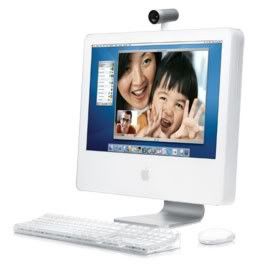


Which desktop computer are you?
The purchase of computer systems may be one of the more crucial decisions your school would make. Aside from the serious financial investment it entails, the procurement of desktop computers, may make or break your school's foray into the information age. In these days when everyone is going electronic, your school will be left behind if it sticks with using just the blackboard and pen. Don't fret. You can help your school purchase the computer that is right for your needs.
Contrary to what you think, the kind of computer is only a secondary consideration. The most important question to ask is this: What will you use the computers for? It is true that the general rule to choosing a computer is the faster or bigger the specs are, the better. But better would be relative to the demands you will expect from your computers.
Since you will be purchasing for the computer laboratory, you can more or less expect the computers to be used for regular computing tasks such as word processing or for computer-aided instructions using PowerPoint, perhaps some Internet browsing, or basic desktop publishing. That out of the way, you are now ready to choose your desktop computer!
The list of specifications (specs) for a desktop computer would look something like this:
Processor: Intel Pentium 4 processors 2.40GHz
Memory: Standard 256MB Dual Channel DDR SDRAM Memory
Hard Drive: Standard 40GB Ultra ATA/100 Hard Drive (7200 RPM)
Screen: 14" WXGA+ (1440 x 900)
Optical Drive: CD-RW/DVD 48x Combo Drive
Graphics: Intel Integrated GMA 950
Wireless: Intel 3945 802.11a/b/g
These information will mean nothing to ordinary people like most of us. However, understanding them will prove very helpful in choosing the computer that suits your school's needs. Here's a layman's guide to understanding the vital statistics of a computer system.
Processor. The processor or the Central Processing Unit (CPU) is the computer's brain. You will not be able to see the processor itself when buying a computer because it is inside the box or tower. You'll be surprised at how small the chip that controls all the processes in a computer is. Because of its very important role in a computer system, the processor is always the first item listed on the specs. You'll be able to identify the chip on the specs based on the name of its manufacturer (Intel or AMD) and model, and its speed expressed in gigahertz (GHz). In our example, the name of the manufacturer is Intel, the model is Pentium 4, and its speed is 2.40 GHz.
Both Intel and AMD have several types of processors in the market that have varying speeds. But of course, the more powerful the chip you want, the more expensive it will be. The latest technology today is the introduction of the dual-core processor which is touted to be a lot faster than its single-core predecessor. Keep in mind though that the latest or the fastest processor may not necessarily be the best for you.
Choose a processor that is fast enough for your needs. Since your computer is going to be used mostly for word processing and academic instruction, an average-powered processor will get you through.
Memory. The system memory or Random Access Memory (RAM) refers to how fast your computer processes data. Like the processor, the RAM is also a chip that is connected to the motherboard. When the computer is operating, all the software that are running are extracted from the hard drive and temporarily stored in the RAM where the CPU can access them faster. RAMs are judged by their capacity which is expressed in megabytes (MB). Most computers nowadays have at least a 512 MB to as big as 1024 MB of RAM.
Aside from the size of the RAMs, you also have to consider the type. The most common types of RAM used in computers today are SDRAM (synchronous dynamic RAM), DDR SDRAM (Double Data Rate SDRAM), and DDR2 (2nd Generation Double Data Rate SDRAM). DDR is the most commonly used RAM nowadays.
When choosing the RAM that you would want in your computer, consider the software that you intend to run on it. Software would include the operating system and the applications for word processing, gaming, or multimedia. These usually have varying specific RAM requirements to be able to run efficiently. For the computers in school, at least a 512 MB RAM is good enough to run Windows XP Professional or Home Editions and the complete Windows Office suite.
Hard drives. This is short for hard disk drive (HDD). This is where all of your data are stored. Like RAMs, hard drives are judged based on their capacity and speed. They range from 40 gigabyte (GB) to as huge as 100 GB capacities. The disks inside the drives spin at extremely fast speeds to facilitate the easy retrieval of saved data. Most desktop computers for household and commercial use spin 5400 to 7200 revolutions per minute (rpm).
So what type of hard disk drive do you choose? Word processing, academic instruction, basic desktop publishing, and Internet browsing will require at least 40 GB of hard disk capacity with a speed of 5400 rpm.
Optical drives. These are the CD or DVD drives in the computer. More and more computers are foregoing the floppy disk drives in favor of optical drives since CDs and DVDs store more data more efficiently and for a longer period of time. Optical drives may be read only (ROM) or writers for data storage (R, RW, or RAM). They are rated based on their speeds. You�ll find in their specs descriptions like 8x, 16x, 24x, or 48x which describes how fast the drives read or write data based on the speed of the original CD or DVD standards. For example, a DVD drive with a 48x specs means it is 48 times faster than the original DVD standard speed. Combination optical drives nowadays are becoming commonplace. Optical drives that are CD-RW/DVD means it can read and write CDs and read DVDs.
It is still advisable that you buy a desktop with a floppy disk drive. However, it is also good to have at least a CD-ROM or a CD-RW drive since most software are distributed in CD format and that more and more people are choosing to store their data in CDs.
Video cards/Graphics cards. These are responsible for the images you see on the monitor. Again, the video card that you will choose will depend on the work that you intend to do in your desktop. Most home and business computers have integrated graphics cards (these are video cards that come with the motherboard). These are good for handling 2D graphics for word processing, Internet browsing, and even watching CDs and DVDs. A 3D graphics card is appropriate for gaming, graphics animation, or graphics and video editing. For more sophisticated graphics requirements, you will need a high-end graphics card.
For your purpose, a regular integrated graphics card will suit your casual computing needs.
Communication ports. These are ports that will connect your computer to other computers and devices (like a digital camera, a digital music player, printer, or scanner) to a local area network, or the Internet. These are necessities especially since computers are being used to connect to the world. USB ports are the most popular connectors because of its capacity to transfer large amounts data fast. IEEE 1394 or FireWire ports are the preferred connectors when transferring data from devices such as camcorders, external optical drives, and external hard drives.
Choose a computer that has 2 to 8 USB ports. It can also have a FireWire port but is not necessary.
Monitors. Display monitors may be CRT (cathode ray tube) or LCD (liquid crystal display). CRT monitors are the usual computer monitors which look like TV sets. LCD monitors are becoming more popular because it is less bulky.
CRT monitors are more affordable and have a wider range of capabilities compared to relatively more expensive LCD monitors that are sleek-looking and space-saving. Whatever kind of monitor you choose to buy, make sure it is at least 17" with a resolution of 1280 by 1024 pixels.
Sources:
Before You Buy Desktop Computer Systems. http://compreviews.about.com/cs/desktops/bb/aabybdesktops.htm (accessed 15 June 2006)
Desktop PCs: The Essential Consumer Buying Guide. http://www.pcmag.com/article2/0,1759,1778274,00.asp (accessed 15 June 2006)
PC Guide. http://www.pcguide.com/ref/video/index.htm (accessed 15 June 2006)
Understanding PC Specifications. http://www.eu-energystar.org/en/en_025.htm (accessed 15 June 2006)
Note: This article is published in Quality Teacher Vol 10 Iss 1
After giving Pacquioa the Order of Some Old Native Datu, there's word going around that the government is planning to resurrect the 5 peso paper bill which would now bear the boxing champion's image. What do you think of this?
You've heard how horses are esteemed for their huge dongs. I never thought that the trait runs in the blood of their donkey cousins. Don't you men out there just wish you were descended from horses instead of apes?

Click on the picture to watch the video.
Where in the world do I find a man who will be willing to release the donkey in him? The standard has been set. This donkey is the one to beat. Any human challengers?

Man this girl has grown in the right places! I remember watching her on TV when she was a kid and I'd never guessed that she'll be such a hot angel when she grows up. She makes you want to work double time being good now that you know there's an angel like her waiting for you in heaven.
Oops. Look at me. I almost forget I'm gay!
Now you don't have to wonder why I never get tired of going to work everyday for the past 5 years.

This is what my officemates do when the boss is not around. Sshhh!
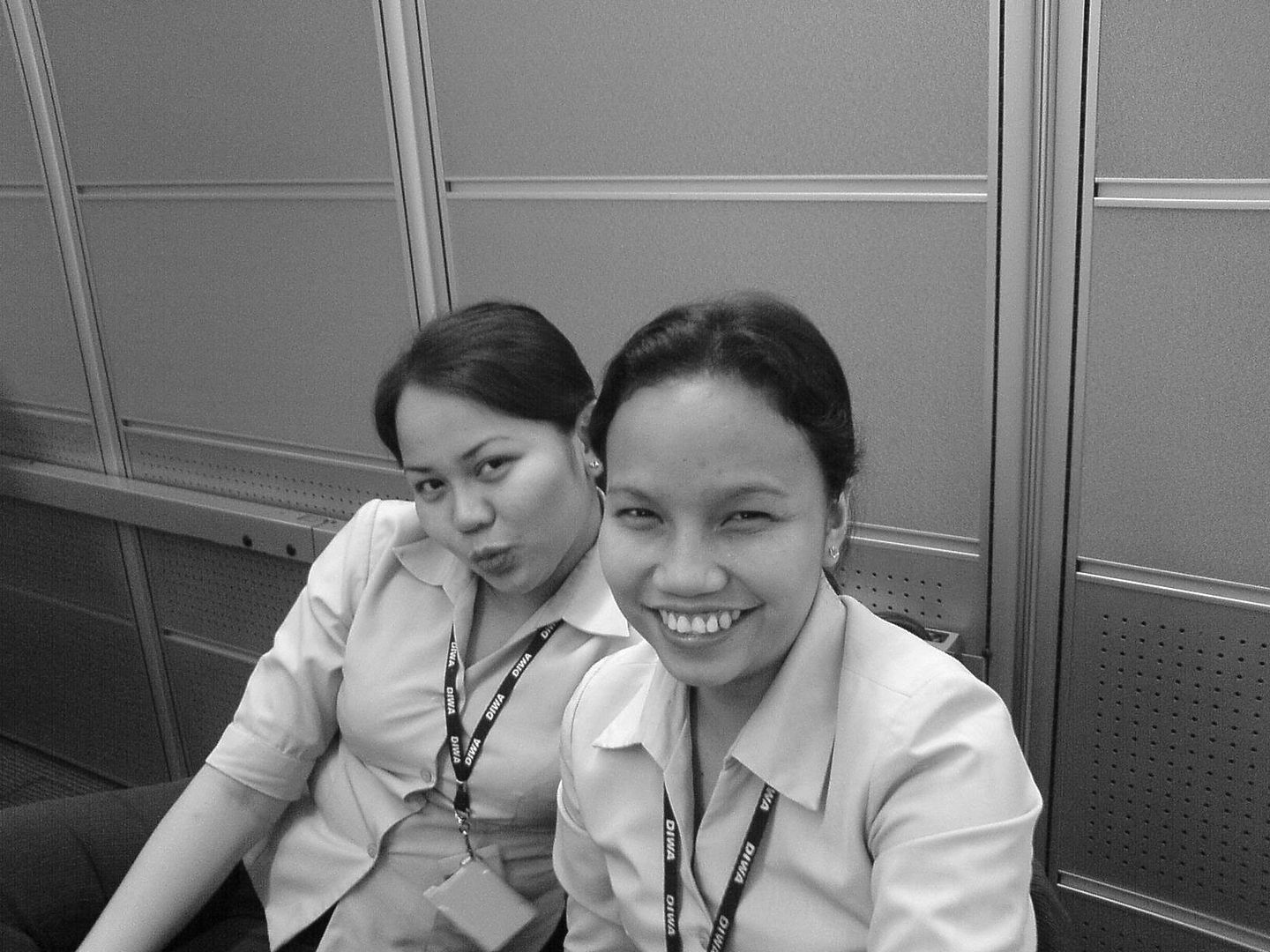
These are self-confessed slutty girls of Textbook Editorial. One does it with her lips and the other with her slits which she passes off as eyes.
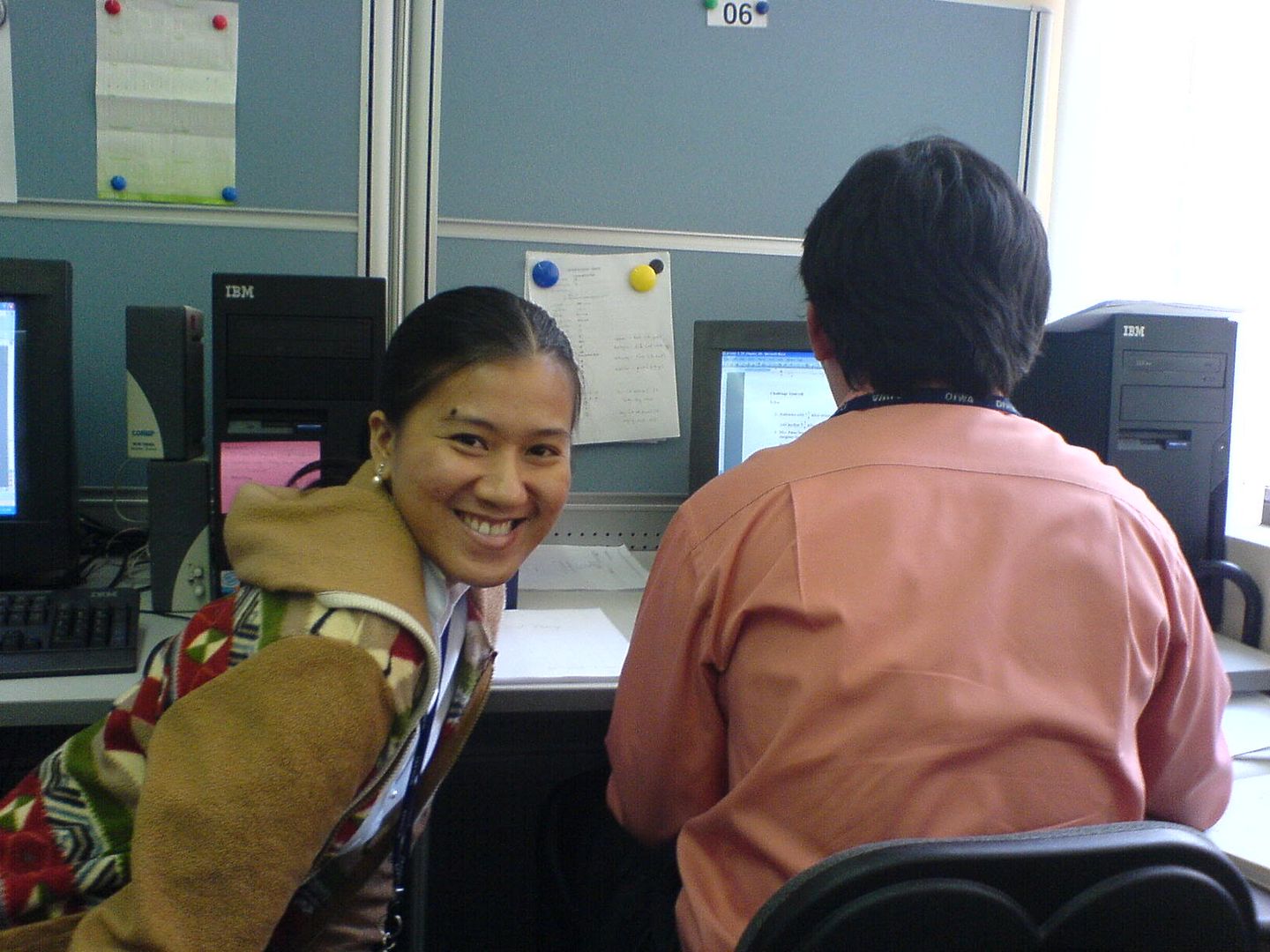
A smile is a curve that sets everything straight.- Anonymous
What a load of crap. No matter how wide and how often April smiles, the guy on the right will never be straight. (Caption by photographer)
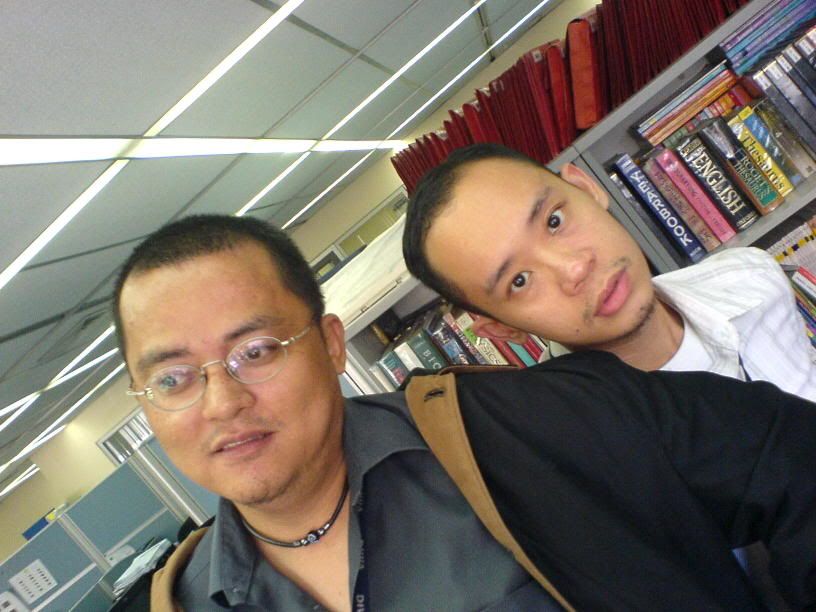
The office is fit for habitation by either human (see right) and non-human beings (see left).
My birthday's coming up real soon. I thought it would be cute to give some preview of how I looked when I was growing up. Check this out.
This is me when I was turning 2 years old.
This is me when I was around 6.

I think I was a pretty cute kid. But you know what they say about cute kids. They usually grow up like this:
This is me with some hair at 27.


Twisted.
The last two pics may be twisted, but this one, taken when I was in high school going to college, is sick.
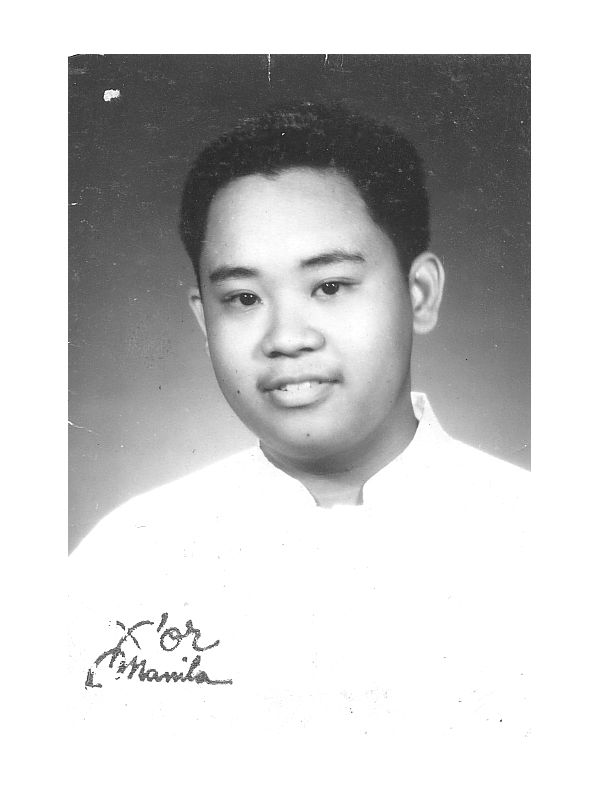
That's still me.
You got 6 days to go to buy me a birthday gift. I wanna make life easy for you so here's a list of some things you can buy to make me happy on my birthday:
1. Griffin Earthumps. I bought myself a pair of these babies a few months ago but I killed the right ear some weeks back when I accidentally dropped it.
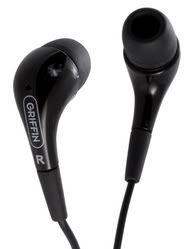
2. Pink's latest CD: I'm Not Dead. I like Pink. There.

3. How Dell Does It by Steven Holzner. I've been interested with anything business related lately. I think Dell's one of the perfect business models for startups like me. I came across this book two weeks ago but I didn't buy it so you can buy it for me.
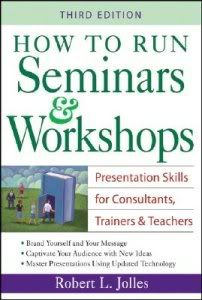
4. How to Run Seminars and Workshops by Robert L. Jolles. I want to polish my public speaking skills because I think it's one of the areas I can make money from in the future. hehehehe And probably make a difference in other people's lives along the way.
5. Apple MacBook. My dream machine. The one in the picture below is the MacBook Pro. I can do with the starter version which is the MacBook. If you can afford the 2.0 ghz black version, that would be great. But if not, the 1.83 ghz white version will do. :-)

What will it take to make my room Japanese style? I’m tired of the clutter of my room. It’s embarrassing to admit that the disarray of my room may reflect how disorganized my life is. I’m toying with the idea of redecorating it. I want to take off the excesses and stick with the essential. That would mean throwing a lot of crazy stuff I’ve accumulated through the years. My biggest challenge would be relocating this huge old trunk which takes a lot of space in my room. I plan to replace it with a less chunky wardrobe, if I decide that the wardrobe should be part of my bedroom all together. There’s this old piece of furniture as well that I use as some sort of a dresser which I plan to put to retirement. But where do I put all my stuff then? I’m thinking of using plastic storage boxes but I don’t know because I’m afraid I might end up with stacks of these boxes if I don’t sort my stuff first. And the bed, I will have to amputate its legs to achieve the acceptable height. But before I launch this grand plan, I will first have to make cleaning my room a habit. Good luck to me.
I used to never read forwarded emails. I just discovered recently how inspiring and enriching some of them could get. Here's one from Ms. Lil.
A group of alumni, highly established in their careers, got together to visit their old university lecturer. Conversation soon turned into complaints about stress in work and life. Offering his guests coffee, the lecturer went to the kitchen and returned with a large pot of coffee and an assortment of cups: porcelain, plastic, glass, some plain-looking and some expensive and exquisite, telling them to help themselves to hot coffee.
When all the students had a cup of coffee in hand, the lecturer said: "If you noticed, all the nice-looking, expensive cups were taken up, leaving behind the plain and cheap ones. While it is but normal for you to want only the best for yourselves, that is the source of your problems and stress. What all of you really wanted was coffee, not the cup, but you consciously went for the better cups and are eyeing each other's cups."
Now, if life is coffee, then the jobs, money and position in society are the cups. They are just tools to hold and contain life, but the quality of life doesn't change.
Sometimes, by concentrating only on the cup, we fail to enjoy the coffee in it."
Don't let the cups drive you...enjoy the coffee. :-)
For those of us without A/C (or in my case, for those of use with broken A/C units), this could be a solution! Using materials you find around the house and cheap items you can buy at any hardware store, you can make this unit which cools an average sized room in about 20 mins. Works pretty well!
read more | digg story
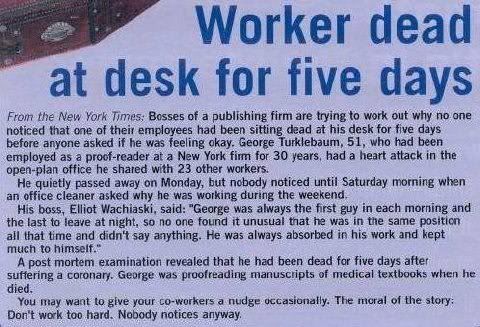
We get so caught up in our own little worlds that we forget that we're living beings who need love and care to survive. Pathetic. This is such a sad way to die. If the image above is hard to read, here's a transcript:
From the New York Times: Bosses of a publishing firm are trying to work out why no one noticed that one of their employees had been sitting dead at his desk for five days before anyone asked if he was feeling okay. George Turklebaurn, 51, who had been employed as a proof-reader [sic] at a
He quietly passed away on Monday, but nobody noticed until Saturday morning when an office cleaner asked why he was working during the weekend.
His boss, Elliot Wachiaski, said: George was always the first guy in each morning and the last to leave at night, so no one found it unusual that he was in the same position all that time and didn't say anything. He was always absorbed in his work and kept much to himself.
A post mortem examination revealed that he had been dead for five days after suffering a coronary. George was proofreading manuscripts of medical textbooks when he died.
You may want to give your co-workers a nudge occasionally. The moral of the story: Don't work too hard. Nobody notices anyway.
iTunes Music Store Says \"In the event that a customers entire music library is lost, the iTunes Music Store does re-grant the purchases history. Please keep in mind that Apple does not offer protection against the loss of purchases, so this is a one-time exception.\"
read more | digg story
MP3Newswire.net has compiled a comprehensive list of potential iPod killers for the summer and explain the strengths and weaknesses of each player. If nothing else, this is a good list of alternatives to the iPod if one in inclined.
read more | digg story
Harry McCracken, of PC World, takes a look at the MacBook as a Windows machine and he likes it. True, he is a Mac person at heart but the MacBook plus Boot Camp equals nirvana.
read more | digg story
In this article, you'll learn what happened when HowStuffWorks took a close, hard look at "The Da Vinci Code" and how it uses science, technology, art and history.
read more | digg story
For the last two years several people in Singapore have gotten a flesh eating fungus in their contact moisturizer drops.
read more | digg story
Do you remember when a student of yours burned himself during Science laboratory class? Or how about the time when a preschool pupil of yours ran to you crying during play time because he scraped his knee? How about when two of your students figured in fisticuffs that left both of them bruised and bleeding? Weren’t those moments when you wished you were a nurse instead of a panicking teacher? Those times need not call for desperate measures.
First aid is your best friend during these emergencies. Your preschool, elementary, or high school students are at their most physically active and emotionally volatile stages in their lives—a lethal combination which may result to not-so-serious physical injuries to life-threatening ones. And since they spend most of their waking hours at school, it does help that their second parents, you, know what to do when they call for help.
But before giving you some specific basic knowledge of first aid for some minor injuries, it would be wise to keep in mind the following general tips first:
1. All injuries should be treated regardless of how small they appear. Even the smallest of wounds attract the growth of bacterial infection which may eventually become worse.
2. First aid is not the treatment itself. Make sure that you get medical assistance as soon as possible.
3. Make sure that your school has a complete first aid kit set. If it already does, know where to find it in case of emergency.
4. Know by heart the numbers to call during emergencies.
5. Keep calm. Your knowledge of first aid and the emergency numbers in your head will only be useful if you are thinking straight.
Bruises and Black Eyes
Have you ever used the phrase “black and blue” to describe students who’ve figured in nasty brawls? It is in fact a very graphic and literal description. Bruises are usually swollen, discolored (starts pink, turns bluish, then greenish-yellow, to normal), and painful to the touch. Black eyes are dark bruises around the eyes.
To treat a bruise, apply cloth-covered ice or a cold compact on it to ease the pain and reduce the swelling. Do this for 15 minutes every hour for two to three days. Exerting a gentle pressure, do the same for black eyes. Do not press the cold pack on the eyes themselves. Check the eyes for blood. Seek medical treatment immediately.
Nose Bleeds
Nose bleeds may be caused by a blow to the nose during fights or minor irritations that cause incessant nose-picking.
To abate nose bleed, let the student sit still. Using your thumb and finger, press the soft portion of the nose just above the nostrils for 5 to 10 minutes. Lean the student forward and instruct him to breathe through his mouth. The bleeding may be stopped or controlled this way until you get medical assistance. In the case of a broken nose, the least you can do is control the bleeding until the doctor attends to it.
Cuts, Scrapes, and Puncture Wounds
These injuries may happen during monitored class activities like laboratory experiments or during play time when the students are most often left to themselves. For minor cuts and scrapes, wash the wound with mild soap and water. To stop the bleeding, apply pressure using a sterile bandage or a clean cloth. When the bleeding stops, apply antibacterial ointment and cover the wound with bandage if it is likely to get dirty. If the bleeding does not stop in 20 minutes, elevate the injured body part and wait for medical assistance.
For a minor puncture wound, flush it with running water and then wash with soap. Check for objects that are lodged in the wound but do not attempt to remove them. If you don’t see any, check the object that caused the wound for any missing part. Removing foreign objects from the wound should be left to the medical personnel.
Burns
Burns may be caused by accidents in the handling of equipment or chemicals in the laboratory or hot food and surfaces in the cafeteria. First aid for burns differs depending on the gravity of the injury. For first degree burns, you can flush it with cold running water for 15 minutes and cover it loosely with moist dressing and bandage. For second and third degree burns, cover the wound with dry dressing and loose bandage and call for immediate medical assistance. Do not wash second and third degree burns with water because this adds to the risk of shock.
Choking
Choking is likely to happen to preschool students who tend to put objects in their mouths or to older kids during meals. A person may choke when a foreign object becomes lodged in his throat, preventing him to swallow and breathe. He grabs his throat, panics, gasps for breath, turns blue, or becomes unconscious. He cannot cough or speak. The first aid for choking is called the Heimlich maneuver. This technique creates an artificial cough that removes the object that blocks the victim’s throat.
The Heimlich maneuver varies depending on the age of the victim. If the victim is a young child, you should stand behind him, your arms around his waist. Place one of your hands, forming a fist with your thumb in, between the ribs and the waistline. Grab your fist with your other hand. Make sure your arms are placed just below the child’s rib cage, not on it. Do four quick inward and upward thrusts, repeating until the victim coughs the object out. For an older student, you can do the same technique if he is seated or standing. If the victim is lying down or unconscious, straddle him, place the heel of your hand just above his waistline, and then your other hand on top. Do four quick upward thrusts, repeating until the victim coughs the object out. Make sure to keep your elbows straight while doing this.
Sprain
This is an injury to a joint which occurs when a ligament is stretched or torn because of twisting. A sprain is painful and swollen. Immediately apply ice on the sprain to relieve the pain, doing this regularly for the next 48 hours. Elevate the swelling as well. The injury should be examined by a medical practitioner.
Bug Bites/Stings
Bites from mosquitoes, fleas, mites, and most spiders are likely to just cause itching. The more serious bites from fire ants and stings of bees, wasps, and hornets cause allergic reactions that may be fatal. If the stinger is visible, remove it by scraping across the stinger using a straight-edged object. Do not use tweezers which may squeeze the stinger and release more venom. Wash the injury with soap and water and apply ice wrapped in cloth on it. Applying antihistamine cream may help reduce itching. Make sure to seek medical attention.
References:
Basic First Aid Tips. http://www.bsc.edu/firstyear/firstaid.htm (accessed 28 February 2006)
MayoClinic.Com. http://www.mayoclinic.com/health/first-aid-black-eye/HQ00016 (accessed 28 February 2006)
Medline Plus. http://www.nlm.nih.gov/medlineplus/ency/article/000020.htm (accessed 28 February 2006)
Medline Plus. http://www.nlm.nih.gov/medlineplus/ency/article/000033.htm (accessed 28 February 2006)
Survival Center. http://www.survival-center.com/firstaid/burns.htm (accessed 28 February 2006)
The Harvard Medical School Family Health Guide. http://www.health.harvard.edu/fhg/firstaid/firstaid.shtml (accessed 28 February 2006)